
PPublic relations is built around communication but the way a message looks can be just as important as the words themselves. As a PR practitioner, I need to think about how an audience will experience a message from the moment. they see it. Strong visual communication can make information easier to understand, encourage an audience to pay attention and establish a recognizable brand.
Adobe InDesign: Taking Control of the Details
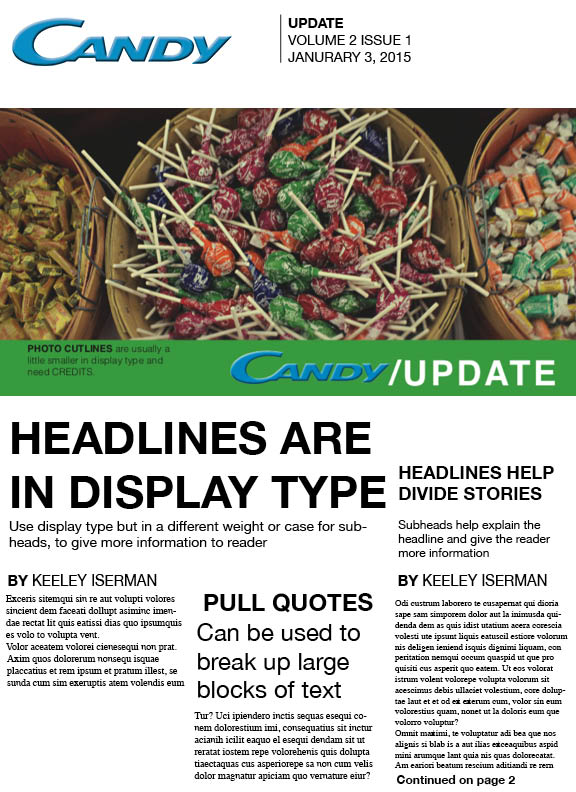
Adobe InDesign is especially useful when designing complex multi-element layouts such as newsletters, brochures, reports and other professional publications. One of the biggest strengths is the level of control it provides you over a layout. You can individually position and tweak text boxes, images, columns, guides and typography.
The thing I find most interesting about InDesign is how much the small details matter. Guides and columns are features that help you keep your alignment and balance across a design. I’ve also found useful tools like Fill with Placeholder Text helpful when creating a layout, because it gives me a chance to see how body copy will interact with the rest of a design before the final copy is available.
For PR professionals, that level of control is valuable because our work needs to be visually appealing without sacrificing the message. A design should guide the reader through the information rather than make the information harder to find.
Adobe Express: Creating Content Quickly
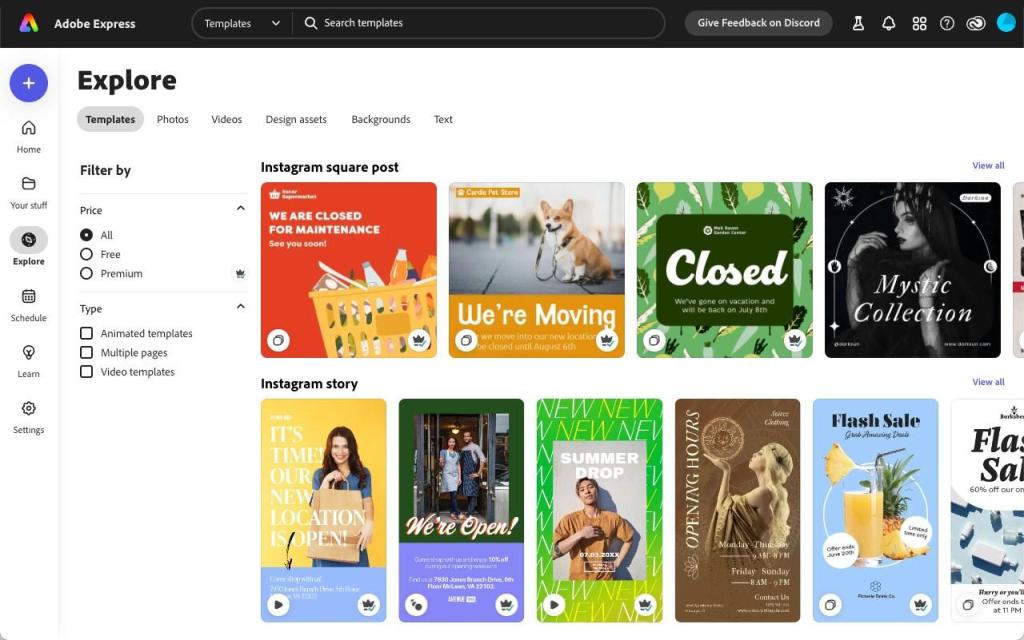
Though InDesign allows great control in design, Adobe Express makes things easier when it comes to creating visual material. It may come in handy for graphics, social media content, flyers and other types of content creation that need to be done quickly and effectively.
I particularly like the convenience of Adobe Express due to its templates and design elements which allow creating a design that may be customized according to a certain message or style and which is important in PR since practitioners have to work fast yet keep consistency.
That is why each of these programs may be used by me for different purposes, for detailed publications, where I have to have control over my design, I would use InDesign, and for quick visuals, Adobe Express will come in handy.
Learning the Tools is Only the Beginning
Having access to powerful software does not automatically result in good design. PR professionals also need to understand the reasons why particular design decisions are good. In this regard, tutorials on InDesign and tutorials on Adobe Express are available from the software manufacturer Adobe, which can assist professionals to learn new tricks.
In my experience, practice with the tool turns out to be one of the most effective ways to learn the software. Making various layouts, making errors, and correcting them helps to figure out the purpose of every tool and how it works.
Good Design Goes Beyond the Software
The key takeaway is that the program does not design; it is the decision-making process that does. A good design for public relations should have a clear purpose and it should be designed for its intended audience. Such aspects as color, typography, balance, proportion, hierarchy, white space, and unity combine into one design process leading to guiding attention to the message.
In my opinion, making the mistake of putting something into a design just because it can be done in the program is the worst mistake a designer can make. All fonts, images, colors, and graphics should serve a particular purpose. Sometimes a simple design gets a better point across than a complex one.
Finally, both programs provide great opportunities to convey a message visually, but the strategy should come first. Regardless of whether I design a publication or produce digital content, the result is supposed to be the same, communicating with confidence and leading with purpose.


Leave a Reply